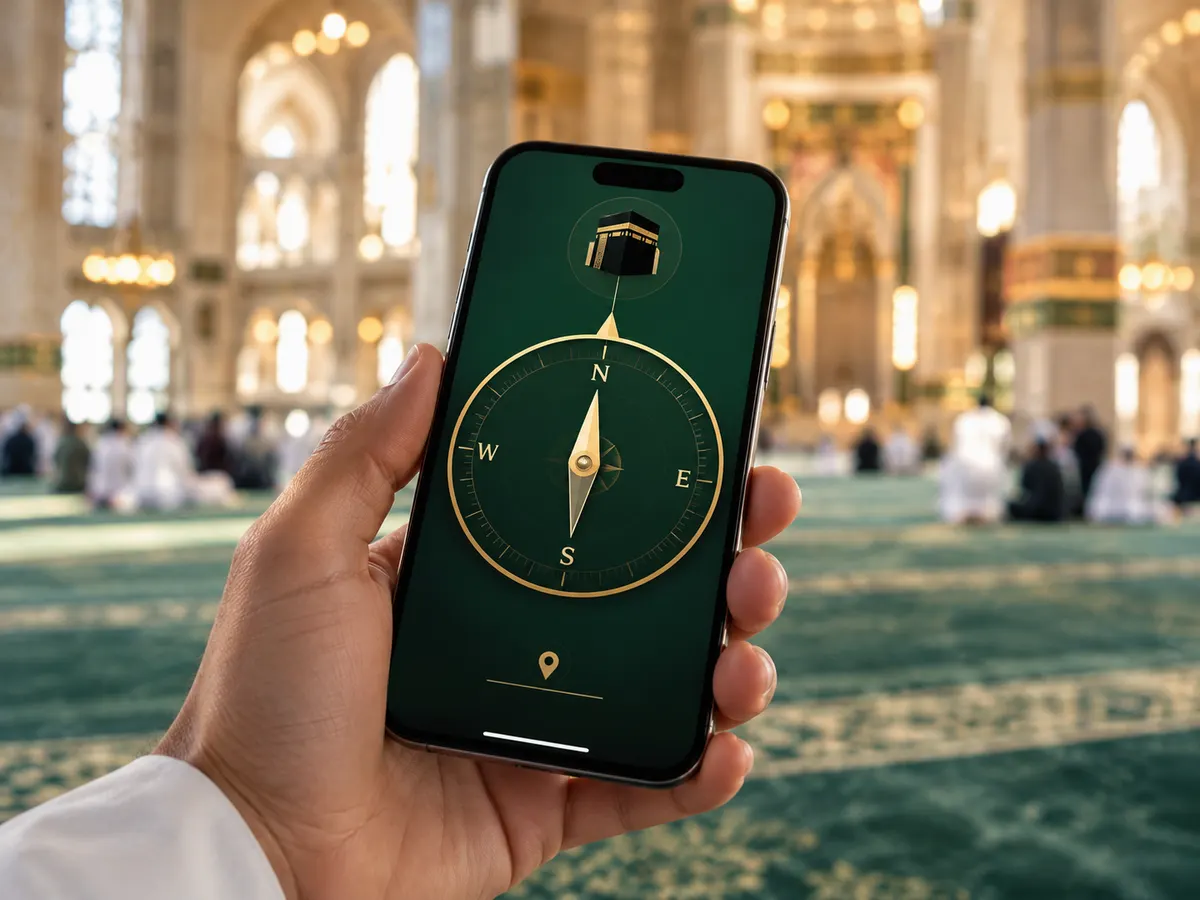
Use this online Qibla finder to calculate the direction to the Kaaba from your current location. Get the exact bearing from true north, follow the live Qibla compass on a supported phone, or use the degree with a map or physical compass.
Location stays in your browserGPS, city, map and coordinates
39city bearings
360°live orientation
0downloads needed
Online Qibla finderPrivate calculation
Tap the button, allow location, then turn with the live guidance.
GPS Locked
Compass sensorWaiting for a result
True-north bearing — the label always resolves to N, NE, E, SE, S, SW, W or NW. Live turning works best on a phone or tablet with location and motion turned on.
Live Qibla Compass
N
E
S
W
—°
Qibla
Turn leftHold the phone flat, turn slowlyTurn right
Allow location once. Nothing is saved by this page.
Other location methods
Pick on map
See your Qibla direction on the map
Tap or click anywhere on the map to set your starting point. The gold marker is the Kaaba in Makkah. When you find your Qibla or pick a point, your bearing, location and distance appear in the cards here, and the gold line is drawn from your point to the Kaaba.
Qibla direction—
Your location—
Distance to Makkah—
Choose your starting pointTap or click the map.
The map is unavailable. Use your location, a city or coordinates instead.
The live compass needs a phone with a compass sensor
This screen can calculate your exact bearing, but it cannot feel which way it is facing. Open this page on a phone or tablet with a built-in magnetometer to follow the arrow as you turn.
Scan the code with a supported device to open the finder on your phone.
What is the Qibla Finder?
This browser-based Qibla finder calculates the direction from your chosen location to the Kaaba in Makkah. It shows the angle from true north, a readable compass direction, the great-circle distance and a route on the map. If you expect to lose your connection, save or screenshot the bearing first; the first page load and uncached map tiles still need internet access.
The Kaaba in Makkah — the single point every bearing on this page is calculated toward, wherever in the world you are standing.
What devices can use it?
The calculated bearing works on phones, tablets, laptops and desktop computers. Live turning guidance needs a magnetometer and motion sensors, which are available on most Android phones and iPhones, including many older or budget models. Safari may ask for Motion & Orientation access. On a laptop, use the degree with a north-up map or physical compass.
The direct answer
How to find your Qibla direction now
Tap Find my Qibla and allow location once. The first available bearing appears, then GPS refines it automatically. Hold the phone flat, turn until the guidance says Aligned, and mark a fixed object on that line.
Inside a mosque, hold the phone flat like a tray and turn slowly until the compass marker points ahead — then keep that line as your prayer direction.
Step 1
Start from true north
The result is measured clockwise from geographic north. East is 90°, south is 180° and west is 270°.
Step 2
Follow the exact bearing
The tool calculates the initial great-circle direction from your coordinates to the Kaaba at 21.4225° N, 39.8262° E.
Step 3
Verify and mark the line
Take a second reading away from metal. When it is stable, use a doorway, tile joint or distant landmark as your repeatable prayer reference.
How to use the Qibla finder
From your location to a clear prayer line
The calculation takes seconds. Good calibration and a fixed room reference make the result much easier to use.
01
Choose your starting point
Use precise browser location, choose a nearby city, enter coordinates, or tap the map. The selected point gives the exact route shown to Makkah.
02
Calibrate the compass
Hold the phone flat and move it in a figure-eight. Step away from speakers, steel furniture, lifts and magnetic cases.
03
Turn and mark the line
Turn until the arrow faces ahead. Then choose a doorway, wall seam or distant object on the same line and put the phone away.
Calculated on the globe
The shortest path to the Kaaba is a great-circle route, not a straight line on a flat world map.
How the result works
One bearing, two parts of accuracy
1
The Qibla bearing is mathematical
Your coordinates and the Kaaba coordinates—21.4225° N, 39.8262° E—produce an initial bearing measured clockwise from true north.
2
The moving arrow uses phone sensors
The degree can be correct even when the arrow wobbles. Steel, magnets and electrical equipment can interfere with the magnetometer.
3
A stable second check matters
Compare two readings a few metres apart, a north-up map, or the established line in a maintained local prayer space.
No single method is best in every room. Start with the quickest reliable option, then verify only if the reading is unstable or the space needs a permanent line.
Live
Online Qibla compass
Best for an immediate answer on a phone. It gives the bearing and can respond as you turn, but the arrow depends on sensor quality.
The cities people ask for most — each with its clockwise bearing from true north, great-circle distance to Makkah and a practical way to check the direction locally. Search above, or open the global directory for every city.
Learn how to calibrate a phone, understand true north, use a map, prepare for offline travel and handle an uncertain direction without turning it into a burden.
A useful tool does more than point an arrow. It gives you the number behind the direction, explains what can disturb it and offers a manual way to check the result.
Bearing
A visible degree from true north
The numeric bearing lets you verify the live arrow with a separate compass or map. It also remains useful when a device has no motion sensor.
Every figure below comes from the same great-circle calculation to the Kaaba at 21.4225° N, 39.8262° E. The different angles are expected because the starting point changes.
Qibla angle is the geographic bearing from true north. A modern phone may correct its heading toward true north, so the same number can guide the live arrow. A physical compass follows magnetic north and may require a current local declination correction. Because declination changes by place and over time, this page does not invent a fixed correction. Check a current geomagnetic source when using a traditional compass for a permanent line.
Device and browser support
Use the Qibla Finder in your browser
The calculation works broadly. Live movement depends on sensor support, permission and a secure HTTPS connection.
iPhone or iPad · Safari
Tap the finder, allow location, and approve Motion & Orientation if Safari asks.
Android · Chrome, Edge or Samsung Internet
Allow location for the site. Current browsers do not need experimental flags; if the arrow stays still, use the degree or map.
Firefox and computers
Use location, a city, coordinates or the map. Most laptops need the true-north degree applied to a map or separate compass.
In-app browsers
If a messaging or social app blocks location or motion, open the page in Safari, Chrome, Edge or Firefox.
Qibla finder FAQ
Clear answers to common questions
Is this the Google Qibla Finder?
No. This is an independent Qibla finder. It adds verified city pages, manual coordinate entry, accuracy and declination guidance, and practical travel guides without requiring an app. It does not represent or impersonate Google.
What does the Qibla degree number mean?
It is the clockwise angle from true north. East is 90°, south is 180° and west is 270°. A reading of 119°, for example, means face east and turn another 29° toward the south.
Qibla Finder doesn’t work, what should I do?
Start with the two permissions the finder needs: location, so it can calculate your bearing, and—on an iPhone—Motion & Orientation access, so the arrow can turn with you. Then wave the phone slowly in a figure-eight, hold it flat like a tray, and step away from speakers, steel furniture, cars and magnetic cases. If the arrow still will not settle, skip the live compass altogether: choose your city, type your coordinates or tap the map, then use the exact degree with a north-up map or an ordinary compass.
Why does the Qibla arrow keep changing?
The phone compass may be affected by metal, a magnetic case, wiring, speakers or poor calibration. Move to a clearer space, remove magnetic accessories, hold the phone flat and move it slowly in a figure-eight.
Can I use this Qibla finder on a laptop?
Yes. The bearing and distance calculation still works, but most laptops cannot sense which way they face. Apply the degree reading to a north-up map or physical compass.
Is this the most accurate Qibla finder?
The great-circle calculation is precise when your location is correct. No browser can guarantee that a phone sensor is free from magnetic interference, so the most dependable approach is to verify the degree with a second reference.
Is the bearing measured from true north or magnetic north?
The calculated bearing is measured clockwise from true north. A physical compass points to magnetic north unless corrected, while phones may apply their own correction.
Can I find Qibla without an app or internet?
Yes. Save the bearing for your city, then use it offline with a physical compass or known north reference. A marked local mosque or prayer room can also provide the direction.
Can I use Google Maps to find Qibla?
Yes. Keep the map north-up, calculate the Qibla bearing, and match that angle to a road or building edge. Do not rely on a visually straight line to Makkah on a flat world map.
Is a camera or AR Qibla finder more accurate?
Camera overlays can make the direction easier to see, but they still rely on the phone’s location and orientation sensors. Treat the numeric bearing as the value to verify.
Does this tool save my location?
No. The calculation happens inside your browser. This static page has no account or database and does not save your coordinates.
Does the Qibla direction differ between Sunni and Shia Muslims?
The destination is the same: the Kaaba in Makkah. Jurisprudential details about acceptable precision or difficult circumstances may differ, so follow the guidance of a qualified scholar from your own tradition when that question matters.
What if I still cannot determine the direction?
Use the best reasonable reference available and ask a qualified local scholar about the religious ruling for your circumstances, especially during travel or on moving transport.
Before the live compass starts
Calibrate your phone
Move your phone slowly through a figure-eight, then rotate it once around each axis. Hold it flat and step away from speakers, steel furniture, lifts, vehicles and magnetic cases.